What Is a Device Fingerprint? Can Reinstalling Windows Change It?
Learn what a device fingerprint is, why reinstalling Windows may not prevent recognition, and where GPMBoxPlus virtual environments fit.
A device fingerprint combines observable hardware and software traits to help recognize a device. Reinstalling Windows may change some traits without making the device appear entirely new.
You remove an application, install it again, or even reinstall Windows. Yet a service may still associate the environment with earlier activity. Device fingerprinting is one possible explanation; an account or server-side history is another. Understanding the difference starts with asking what actually changed, what stayed the same, and which information the application can access.
At a Glance
A fingerprint is usually a combination of signals, rather than a universal device number.
An operating-system reinstall does not normally replace physical hardware attributes.
Ordinary websites have less direct system access than native applications.
Virtual machines provide separate operating-system environments; GPMBoxPlus offers Hardware Fingerprint settings for its virtual environments.
Table of contents
Why Might a Device Be Recognized After Reinstalling Windows?
Can Websites Read Hardware Serials Like Desktop Applications?
What Is a Device Fingerprint?
A device fingerprint is a representation derived from multiple characteristics of a device environment to support recognition. The inputs and matching rules depend on the system.
A service might turn a set of attributes into an identifier, or evaluate whether the current environment resembles one seen previously. A few changed attributes do not necessarily lead to a new identity, while a matching fingerprint does not prove that the same person is using the device.
A cookie is stored data, an account is an identity supplied by a user, and a fingerprint is inferred from observed traits. A service can use all three together. This distinction matters when diagnosing recognition after a reinstall.
Potential uses include recognizing familiar devices and evaluating sign-in risk.
Different services may observe different attributes and produce different results.
Individual traits can be shared by many devices.
Source: Transmit Security device identity documentation
How Do Device, Hardware and Browser Fingerprints Differ?
In this article, device fingerprint is the broad term. Hardware fingerprint emphasizes hardware-related information, while browser fingerprint emphasizes traits observable through a browser. Vendor terminology varies.
Changing browser data does not necessarily change the information a native desktop application sees. Likewise, a separate virtual hardware configuration does not automatically make every web-visible signal different.
Term | Focus | Examples |
|---|---|---|
Device fingerprint | Combined environment traits | Hardware, operating-system and software signals, depending on implementation |
Hardware fingerprint | Hardware-related properties | System UUID or other attributes accessible to the application |
Browser fingerprint | Browser-observable properties | Browser version, language, display and rendering capabilities |
Why Might a Device Be Recognized After Reinstalling Windows?
Reinstalling Windows changes operating-system files and local data, but normally leaves hardware-related attributes in place. Account records may also connect activity across installations.
Microsoft documents the system UUID as coming from SMBIOS information. A routine operating-system reinstall does not itself replace that firmware information. An appropriately permitted native application may use system attributes as part of its recognition process.
Windows activation illustrates a hardware-related association: Microsoft describes activation as pairing an entitlement with a hardware configuration. This does not establish that other applications use the same mechanism.
Signing into an existing account can reconnect server-side history. Restoring application or browser data can also restore previous state. Meanwhile, a reinstall may change drivers, fonts and software versions. Recognition therefore depends on the inputs and matching rules, rather than a universal rule that reinstalls either always work or never work.

Source: Microsoft Learn: system UUID; Microsoft Support: Windows activation
Can Websites Read Hardware Serials Like Desktop Applications?
Ordinary websites cannot directly query motherboard, BIOS or disk serial numbers through standard web APIs. Native applications may access deeper system information, depending on platform permissions.
Browsers expose a limited set of environment characteristics, and browser privacy protections can further restrict those signals. Extensions or companion applications can change that access model. Before selecting an environment-separation approach, identify whether the workload is a website or an installed application.
Source: MDN: fingerprinting
Which Environment Layer Does Your Work Need?
For installed Windows software, examine operating-system separation as well as browser data.
What Does a Virtual Machine Change?
A virtual machine supplies a separate operating system on virtual hardware. Applications inside it interact with that environment, adding separation beyond a browser profile.
A testing team might keep an application and its test data in a dedicated Windows environment rather than repeatedly installing and removing it on a working computer. This separates an entire software environment.
Virtualization does not guarantee an unrecognizable device. Environments can share a public IP address, and the same account can connect their activity. Applications can also detect virtualization. Evaluate the attributes actually observed, their consistency and any data copied between environments.
If you are weighing the two approaches, our comparison of how an antidetect VM differs from an antidetect browser helps decide which layer to separate.

Where Does GPMBoxPlus Fit?
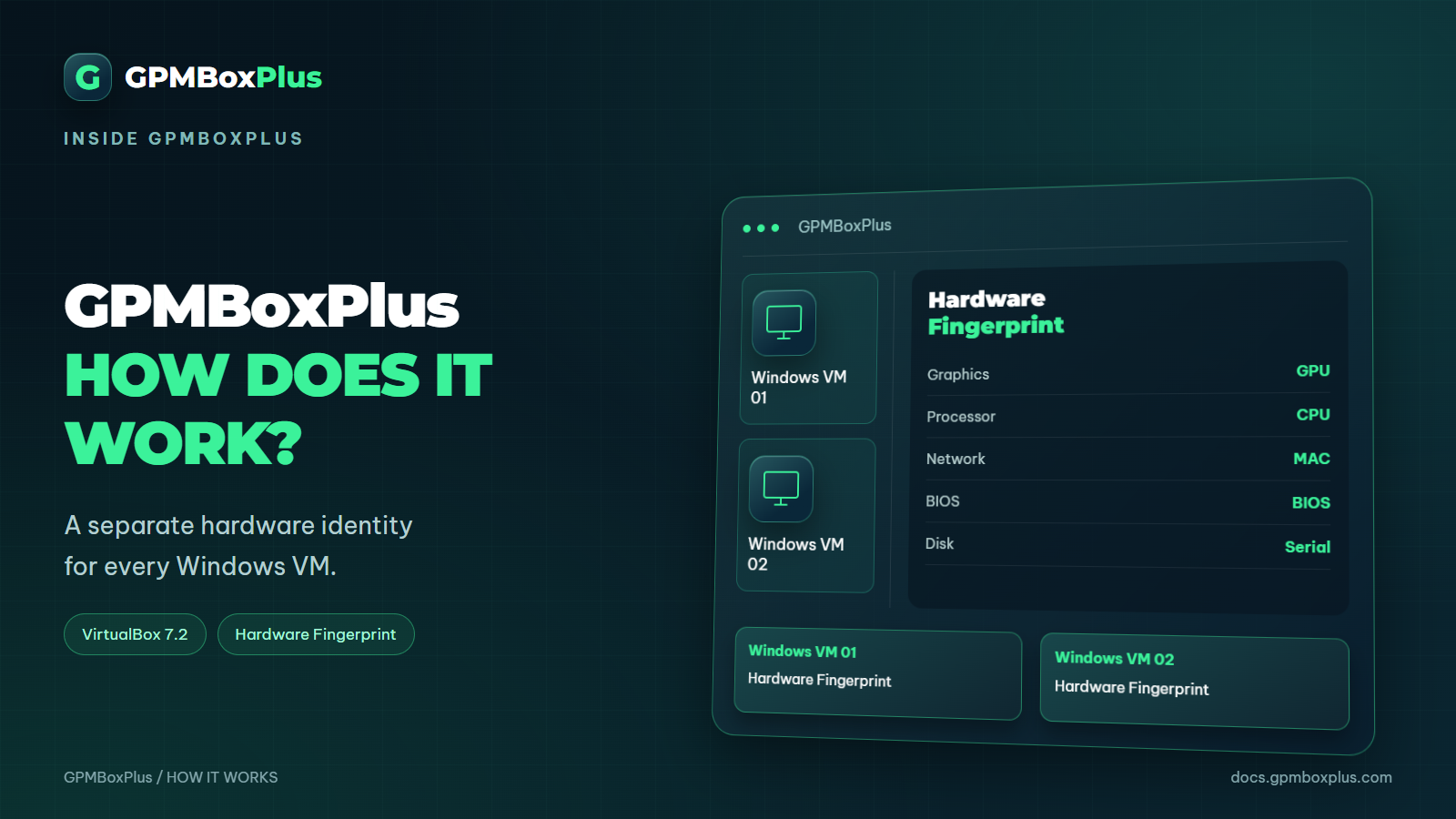
GPMBoxPlus provides Hardware Fingerprint configuration for its virtual environments, addressing one layer of the broader device-fingerprint picture.
Its documentation describes a generated hardware identity visible to Windows in the virtual machine, with selectable GPU, CPU and network-adapter options. That makes it relevant when a task needs an entire Windows environment rather than browser data alone.
Hardware information remains only one part of recognition. Accounts, network signals and application-specific behavior still need to be considered independently.
Source: GPMBoxPlus virtual-machine and fingerprint documentation
Understand the Signals Before Choosing an Environment
Reinstalling Windows does not guarantee a new device identity. Determine what the application can observe and what the task needs to keep separate. For workloads that require a complete Windows environment, evaluate virtualization and hardware-identity management alongside accounts and network configuration.
Explore a GPMBoxPlus Virtual Environment
Read how virtual-machine creation and Hardware Fingerprint configuration work before deciding whether the environment matches your workload.
Frequently Asked Questions
Is a device fingerprint permanent?
Not necessarily. Inputs and matching rules vary, and environment changes can affect the result.
Does deleting cookies delete the fingerprint?
Deleting cookies removes stored browser data. Observable characteristics can remain and be measured again.
Does changing an IP address change the device fingerprint?
It changes a network signal, without automatically changing hardware or browser properties. A service may treat IP information separately or combine it with other signals.
Are two virtual machines guaranteed to appear as different devices?
No. The result depends on what the application observes, shared signals and any copied state.
Must I reinstall Windows to create a separate working environment?
Not always. A virtual machine can provide a separate operating system and application environment without reinstalling the working computer.